

 Packetman saysWelcome to the DataStun features page. I'm Packetman — your AI network expert, and I'm going to walk you through what this platform actually does. DataStun puts a lightweight agent on every device you care about. That agent watches every outbound connection your device makes, identifies the program behind each session, grades the destination from A-plus to F using our reputation engine, and enforces a global blocklist at the OS firewall layer — all without any deep packet inspection, no proxy, no man-in-the-middle. Your content stays private. We see the metadata: who you're talking to, what program is doing the talking, and whether that destination is trustworthy. No other product does all of this in one agent at this price point. Scroll down and I'll explain each capability section.
One agent. Every device. Network visibility, endpoint protection, reputation grading, and fleet analytics — all from a single lightweight background process that uses less than 1% CPU.
Hover Packetman to hear the technical bit.
 Packetman saysHere's the honest framing for the features list. Nothing on this page started life as a feature idea in a planning meeting. Each one started as a method our founding team used at the packet level to take apart a real breach — read what actually crossed the wire, find the program behind every session, grade the destinations, check the DNS authority chain. We turned the methods into a product you run yourself. So when you read a capability below, read it as four decades of forensic practice, shipped.
Every capability below started as a method our founding team used at the packet level to take a breach apart. We productized the methods — the features are what they look like shipped.
An agent is an endpoint — your computers, servers, and workstations. Your own admins manage every agent in the fleet, and you can be your own managed-service provider or hand the account to an MSSP later without re-deploying a thing.
For every connection, we resolve the full program path on disk — not just a process number. Malware tends to announce itself by its own filename, and the same method surfaces lateral movement by which executable fanned out, not just which device.
Every IP you reach — and every IP that tries to reach you — is scored through a 12-plus-stage pipeline. Every executable is graded against large known-good and known-bad corpora, per operating system. A grade, not a guess.
Most of the modern web now speaks QUIC on UDP port 443, and the kernel socket table doesn’t expose those remote endpoints — so most tools see none of it. We read it at the packet layer and pull the destination name per session.
Packetman saysEndpoint protection is the foundation. Every device running our agent gets blocklist enforcement — over 20,000 known-bad IP addresses and ranges blocked at the OS firewall level, updated every 60 seconds, sourced from curated public threat-intelligence feeds and our own reputation grading engine. When our pipeline grades a destination F, it lands on the blocklist within minutes. The block happens at the firewall — the packet never leaves your machine. We also detect exposed infrastructure services: databases, file shares, admin APIs that should never be reachable from the public internet. If one shows up on an outbound flow, you get a critical alert with the process name, the PID, and a one-click block. This is endpoint security that actually watches what your machine talks to, not just what it runs.Packetman saysThe blocklist is enforced at the OS firewall layer — Windows Firewall rule, Linux iptables/ipset, macOS pfctl anchor. The agent never needs an inbound port or a VPN; it enforces locally and updates itself from the tenant platform every 60 seconds.The moment a process opens a connection to a known-bad destination, the OS drops the packet before it transmits. No proxy, no redirect, no middlebox — enforcement at the source.
91.108.4.182Packetman saysNetwork intelligence is about seeing the full picture of your outbound traffic. We capture TCP flows using the kernel's connection table — no packet capture, no raw sockets, minimal overhead. For each flow we identify the destination IP, the port, the bytes transferred in each direction, the TCP retransmission rate, and the executable that opened the connection. On Windows we add DNS name correlation from the local DNS cache and QUIC session visibility for encrypted UDP traffic to port 443. The result: a complete per-session inventory of every conversation your device is having on the network, with the process responsible for each one identified and verified. Retransmission rate is the single most powerful network health metric — it tells you when packets are being lost and resent, which is the earliest signal of a bad connection.Packetman saysPID capture happens at the moment of connect, not sampled — so a process that exits immediately is still identified. Process image path is resolved from the kernel — a fake svchost.exe in %TEMP% gets its full path exposed, not the system32 alias.Not just "which IP" — the executable that opened the session, its full path on disk, its signer, and how many bytes moved each direction. This is the answer network engineers used to need a $20,000 analyzer for.
cdn.example.com, not 185.13.22.9, pulled from the OS resolver cache at flow timePacketman saysThe reputation engine is what makes DataStun different from a simple firewall. Every destination gets a letter grade — A-plus through F — built from multiple evidence sources: TLS certificate quality, cipher suite strength, geographic signals, public threat-feed hits, and behavioral analysis. No single signal fails a destination — we require corroboration. A grade F means consistent red flags across multiple dimensions. The grade travels with the destination everywhere in the dashboard: in your flow list, in your blocklist, in alerts. Our active probe pipeline reaches out to every new IP your fleet contacts, analyzes its TLS fingerprint, checks it against feeds, and runs an AI assessment. You get a verdict on every destination, not just the ones that match a signature.Packetman saysStages run in parallel where possible: geo/rDNS, TLS cert probe (with SNI retry on sentinel certs), service identification, grade, blocklist match, domain-category cross-reference, and AI advisory all run concurrently. Total pipeline time under 25s for most destinations.Each grade is a verdict from a 12-stage investigation pipeline running from our own separate probing node — independent from what your agents see — so we can compare two perspectives on the same destination and flag inconsistencies.
Packetman saysSource of Authority Vetting — SoAV — is the layer above IP reputation. For every destination domain your agents reach, our reputation server walks the DNS authority chain: SOA record, NS RRset, reverse-zone SOA, RDAP allocation, ASN attribution. Eight rules score the chain. SOAV-001 flags sinkholed and seized domains by matching the authoritative nameserver against a curated list of threat-intel takedown infrastructure — Shadowserver sinkhole zones, Microsoft Digital Crimes Unit takedowns, CERT Polska, Team Cymru research hosts, FBI/Treasury/Europol seizure contacts. SOAV-002 flags the SolarWinds-class signature: an IP attributed to a major compute cloud, a domain whose name also claims that vendor's brand, and an authoritative nameserver that is not on that vendor's expected DNS infrastructure. SOAV-003 flags hyperscaler-claiming domains on cheap-registrar NS — the classic phishing pattern. SOAV-004 flags suspicious SOA admin contacts on production-class destinations: privacy proxies and free webmail addresses. SOAV-005 was retired after live calibration: a zone's serial number changing on its own turned out to be ordinary maintenance rather than a signature of anything, so that history is now recorded as context on the destination page instead of raised as a finding — we would rather retire a rule than have you learn to ignore it. SOAV-006 flags authoritative nameservers announced from a jurisdiction unrelated to the destination's own. SOAV-007 flags destinations on curated public threat-intelligence feeds. SOAV-008 (paid escalation tier) flags anonymizer / VPN / proxy / hosting destinations reached from agents you have tagged as Mission Critical — the rule fires only when the originating agent's role makes the path worth questioning. The tiered pipeline matters: free authoritative sources run first on every investigation; paid lookups fire on a small fraction where free data is insufficient or the originating context warrants the spend. Typical paid escalation rate: a few percent. Origin: our team's packet-capture forensic analysis of the SolarWinds breach, where the destination IP attributed cleanly to Microsoft Azure but the authoritative nameserver for the domain had been re-pointed to a Shadowserver sinkhole. The IP layer told the cover story; the authority layer told the truth. We built the productized form of that finding into the platform. NewPacketman saysMultiple FQDNs under one zone collapse to a single investigation. cdn.example.com and api.example.com both resolve to the same example.com investigation, so the apex investigation is cached per zone and reused across the fleet. Cache TTL: 6 hours by default. The DNS, RDAP, and ASN traffic all happens on our reputation server; tenants never make outbound lookups for SoAV.IP reputation tells you which Microsoft IP your agent is talking to. Source of Authority Vetting tells you who actually controls the name that resolved to it — and during the SolarWinds breach, those two answers were "Microsoft Azure" and "a domain whose authoritative nameserver had been re-pointed to a Shadowserver sinkhole." One layer told the cover story. The other told the truth. We walk the DNS authority chain above every destination domain your fleet observes and flag four classes of mismatch — confirmed sinkholes, authority-versus-IP inconsistencies with name corroboration, hyperscaler-impersonating domains on cheap registrar NS, and suspicious zone admin contacts. The technique comes from our team's forensic analysis of the SolarWinds breach; we built the running version of it into the platform.
microsoft-update.com on Namecheap NS instead of Azure DNS is flagged independently; the name claim alone is a phishing signal even without IP corroborationWhere this came from. Source of Authority Vetting is the productized form of an analytical technique our team developed during packet-capture forensic analysis of the SolarWinds C2 channel. That work — part of a deep, multi-part SolarWinds breach analysis — is where the authority/IP attribution mismatch was first identified as a generalizable detection class. We carried the technique forward into the platform.
sunburst-ns-b.sinkhole.shadowserver.orgPacketman saysRemote diagnostics is brand new. From the fleet dashboard, you can issue a power diagnostics command to any Windows agent and get back a structured report: battery health, power plan, connected adapters, recent power events pulled from the Windows event log. No remote desktop, no VPN, no visiting the machine. The command is queued on the server, picked up by the agent on its next heartbeat, executed locally, and the result is posted back to your dashboard. The agent never accepts inbound connections — all communication is outbound from the agent to the server, so there's no attack surface opened. This is the first in a series of remote diagnostic capabilities we're building into the agent channel. NewPacketman saysCommands are delivered via the agent's outbound heartbeat — no firewall rule changes, no VPN, no RMM agent to install. The command sits in the queue; the agent picks it up on its next heartbeat (within 60s), executes it, and posts the result back through the same outbound channel.Issue a diagnostic command from the dashboard; it rides the next outbound heartbeat to the agent. The agent runs it locally and posts the result back. No remote shell, no elevated inbound access — just a controlled, logged, result-returning command channel.
Packetman saysPerformance grading is brand new. We grade how well every device on your fleet is talking to the internet, in plain English. Each TCP session that lasts long enough to be meaningful — half a second or more — gets a kernel-native latency reading and a retransmission count. We roll those into one verdict per device (Excellent, Good, Fair, or Poor), one verdict per app (so you can see whether Chrome is fine but OneDrive is dragging), and a 24-hour quality timeline colored green-blue-yellow-red so you can spot when things were smooth and when they weren't. Then we rank the whole fleet on the same metrics — Fastest 10 and Slowest 10 with grade distribution and median fleet latency — so you can answer "which of my machines is having the worst time today?" in one click. Sub-half-second sessions are excluded from grading because TCP hasn't escaped slow-start in that time and the latency readings would be noise. The grading thresholds are explicit: Excellent means under 50ms latency and under half a percent retransmits; Good is under 100ms and under 1%; Fair is under 200ms and under 3%; anything worse is Poor. Worst-of-two-metrics drives the verdict, so an app with 30ms latency but 5% retransmits grades Poor — single-metric averages would hide the real problem. NewPacketman saysWe grade on a worst-of-two-metrics rule: median internet RTT and retransmission percentage. An app with 30ms latency but 5% retransmits grades Poor, not Excellent — single-metric averages would hide the real problem. Sub-half-second flows are excluded because TCP has not escaped slow-start that early and the latency reading would be noise.Every TCP session your device runs gets a quality reading from the kernel. We roll thousands of those readings into one verdict per device, one per app, and a 24-hour timeline you can read at a glance. Then we rank your whole fleet so the slowest machines surface immediately.
Packetman saysHost diagnostics is the endpoint inventory view that enterprise tools like CrowdStrike, MDE, and Tanium have always collected — but built into the same agent you're already running for network monitoring, at no extra cost. The agent reads two cadences of data directly from the OS. Live gauges arrive on every heartbeat — about every 60 seconds — and show CPU utilization, RAM in use, primary disk fill, swap, load average, and how many users are logged in. The full inventory snapshot reads at most once per 24 hours and only when content has actually changed, so a steady machine adds essentially zero overhead. That snapshot covers OS identity including kernel build and distro version, CPU model and core count, every active NIC with MAC and IP addresses, USB devices attached right now, and a complete list of installed software. On top of the inventory sits the security posture check: disk encryption state, host firewall on or off, TPM presence and version, Secure Boot, which antivirus products are registered and whether real-time protection is active, who's in the local admins group, how many OS updates are pending, and whether a reboot is waiting. Every field reads from the OS directly — no shell-outs to brittle tools, no Win32_Product self-heal traps, no PowerShell fork per item.Packetman saysThe host-diagnostics data arrives through the same outbound heartbeat channel that every other agent metric uses. Nothing new to install, no firewall rules to open, no separate agent to manage. Agents 0.5.21 and up emit this data automatically.Every 60 seconds: CPU, RAM, and disk. Every 24 hours: OS build, hardware, network interfaces, installed apps, USB devices, and your full security posture — all in the Host tab of any agent's detail page.
Packetman saysFleet analytics is where DataStun becomes a strategic tool, not just a security monitor. Available on Business and Enterprise tiers, you get seven cross-fleet analyses derived from the same data the agent already collects — no additional instrumentation. The Software Bill of Materials tells you every executable on every machine, how often it runs, and what it talks to on the internet. The first-seen radar surfaces new executables, destinations, and code signers every day, ranked by how fast they're spreading. The vendor concentration map shows your cloud dependency by bytes. The deviation score ranks every machine by how unusual its traffic looks — the top one percent is your daily review list. And the patch-lag scoreboard shows version distribution across Chrome, Firefox, Office, and OpenSSL against current GA. All of this from one agent.Packetman saysFleet analytics only produce meaningful signal at scale — deviation scoring needs a baseline to deviate from, beaconing detection needs multiple machines to find the pattern, first-seen radar needs the fleet history to know what "first seen" means. Business tier and above.When you have 50 agents, each one is a data point. The fleet is a corpus. Patterns that are invisible on one machine become obvious when you can compare it to 49 others.
Packetman saysSecurity intelligence closes the loop between what your fleet is doing and what the threat landscape looks like. The Intel page categorizes your traffic — cloud platforms, social media, AI services, remote access tools, communication platforms — and shows you trends over time. The SI governance view shows bytes flowing to Anthropic, OpenAI, Microsoft Copilot, Cursor, and 50-plus other AI vendors, broken down by machine and by day. You get the volume-and-attribution picture of how your organization is actually using AI, without any content inspection. For Enterprise-tier customers, three additional analytics run across the full fleet: org-wide executable analysis that catches living-off-the-land malware by hash anchoring, a beaconing detector that finds periodic low-bandwidth C2 signatures, and a data sovereignty rollup that shows bytes by destination country for compliance reporting.Packetman saysExposed infrastructure detection fires on flow-open, not on a scheduled scan — so a database connection to a public IP triggers the alert at the moment the connection opens, with the PID, process name, and full image path attached. No 24h scan window.Threat detection wired directly into the agent's connection table. No separate scanner, no scan window, no "discovered on the next scheduled sweep."
node.exe · PID: 4812 · C:\apps\api\node.exePacketman saysPacketman here. Exposed-service detection watches what a machine reaches out to. This is the other direction. Every device already reports which ports it's listening on. Once a day an independent validator on our own infrastructure tries each of those ports from a public address that is not on your network. A port that should be closed and answers is an exposure, and you hear about it the same day. We try the handle; we never try to break in.Packetman saysFull TCP connect from a neutral public exit, up to three attempts per port; a single completed handshake proves reachability, only unanimous refusal or timeout counts as blocked. Both IPv4 and IPv6 are probed. UDP is reported inconclusive rather than guessed until a service-specific payload probe exists for that service. Only endpoints on the tenant ownership list are probed, and any endpoint whose path would hairpin through our own edge is skipped.The inside-out and outside-in views of exposure, on one screen. The agent says what is listening and knows the outside address of the router in front of it; the validator goes to that router’s outside face and confirms whether there is a path in.
Packetman saysHere's the honest part of security planning. You harden the system, you narrow the ways in — but you plan as if something eventually gets through anyway. That's what this is about. The agent watches connections in both directions, not just outbound. Every session that reaches a listening service on the machine is recorded: the source IP, the source and local port, the process that accepted it, the bytes each way, the timestamp. If the source is a public internet address, it gets the same A-to-F reputation grade as any outbound destination. So if a machine is reached, you have the story already — who connected, what process took the call, what that process then reached out to, which executable on disk made those calls, and how much data moved. At worst, the intrusion has a complete paper trail instead of a gap. At best, when the source or the destination is already known-bad, the OS firewall refuses the connection before it ever opens. It's all connection metadata, never content — detailed enough to run an investigation, small enough that nobody has to trust us with payloads.Packetman saysInbound capture rides the same flow collector as outbound — /proc/net on Linux, the iphlpapi connection table plus a session sniff on Windows, the native path on macOS. Every session that lands on a listening service is emitted as a flow record with direction, source, accepting process, and byte counts. Public-internet sources are auto-enqueued for the same reputation investigation outbound destinations get.Sound security assumes something eventually gets through. DataStun is built for that moment: the agent records what reaches the machine, not just what it sends — so an intrusion has a name, a source, and a timeline instead of a blank space.
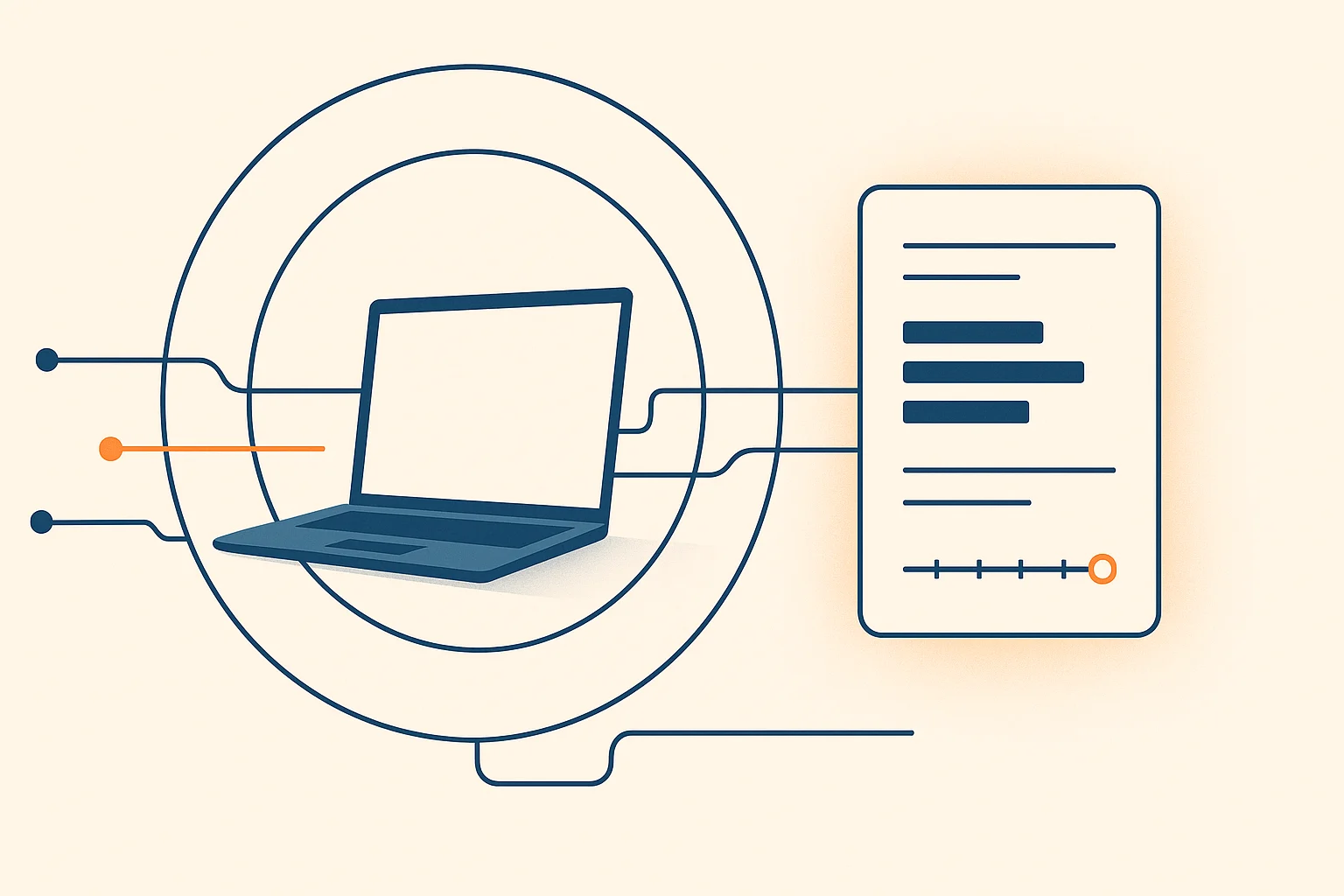 Packetman saysLateral movement is how one infected machine becomes a network-wide problem — the malware spreads sideways to your other computers. The reason it's hard to catch is that the spread looks like ordinary work: a backup reaching every file server, a patch tool touching every PC. We watch the same fan-out everyone else does, but we capture the program that opened each connection and whether we trust it. So your signed backup tool reaching a hundred machines is expected and stays silent, and an unknown program from a temp folder reaching across the network on file-sharing and remote-control ports is the one row on the board — named, with the count of machines it touched. The behaviour alone is ambiguous. The program is the answer.Packetman saysEvery internal connection is grouped by the executable that opened it and counted across your machines. Trusted programs — verified publisher signature, federal known-good catalogue, malware-corpus check — are suppressed regardless of how far they fan out. An unknown or low-reputation program reaching many machines, especially on file-sharing and remote-control ports, is flagged by name. Thresholds are calibrated against real fleet traffic so ordinary internal activity stays quiet.
When something gets onto one machine, it reaches out to your others — the path malware uses to spread. We tie every one of those connections to the executable that opened it, and we already know which programs are trusted — so a backup tool fanning out stays silent and an unknown program spreading shows up by name.
Packetman saysPacketman here. When the diagnosis says what is wrong but the fix needs hands on the keyboard, Remote Assist lets the help desk reach that screen through the same agent that is already there. The person at the device decides every time: they see who is asking and why, can allow viewing only, and a banner stays up until they end it. Their Never means never, and nothing is ever recorded.Packetman saysNo second product to deploy. The operator's browser and the device agent connect directly, encrypted end to end; our relay carries only ciphertext when a firewall forces one. Windows endpoints today, macOS with the Apple-signed agent.An authorized operator — your own administrator, your IT provider, or DataStun support — sees the device’s screen and, with the person’s permission, takes the keyboard and mouse. Same agent, same console, same audit trail.
Packetman saysPacketman here. A false positive means the detector was wrong. A prescriptive behavior means the detector read the shape right, and the shape is how the vendor designed the thing. Apple's Universal Control fans out to every nearby device exactly like lateral movement. Write that down once, with the evidence, and every future alert that matches arrives already explained. Your list beats ours, and you can pause any catalog entry.Packetman saysCriteria are groups: alert type, program names, file hashes, signers, destinations, ports, operating system, devices. Every filled group must match; any value inside a group is enough. Suppress records the event already resolved and sends nothing; annotate delivers it with the explanation attached. Saving one settles the matching open alerts from the last 30 days.Apple Continuity, Bonjour, the DataStun agent’s own mesh probing, a Remote Assist session: all look suspicious by design. Instead of someone remembering “that is how Apple does it” every time, the explanation is written once and travels with every alert it matches.
Packetman saysPacketman here — your AI network expert, built into every dashboard. I already know your network: your fleet's baseline, recent alerts, the destinations you've reached. Click Help and I give you a specific diagnosis, not a help-article link. Can't resolve it? One click escalates to your admin with the whole conversation attached; one more reaches the DataStun team. No email threads, no ticket numbers. And I explain the why, so your team gets sharper over time. Packetman saysPacketman is powered by Claude AI and is tightly integrated with your dashboard data. When a user asks for help, Packetman already has the device context open — agent version, retransmission grade, recent blocked destinations, exposed-service alerts. The answer is always specific to that machine, not generic.Not a chatbot you email. Not a help article you search. Not a ticket that waits until morning. Packetman is an expert who already knows your network — your fleet’s baseline, your alerts, the program behind every flow — and answers the moment something looks wrong. Every answer explains the why, so your team gets sharper while they use it.

Weekend at midnight, a new hire’s first hour, the moment an alert fires — Packetman answers. Nobody gets woken up, nothing queues until morning. Every enrolled device has an expert on call, always.
Click Help and Packetman already has that machine open — retransmission grade, blocked IPs, agent version. So the answer is “your retransmission rate is 8.4%, grade D — here’s the exact fix,” not a link to go read. Specific, every time.

“Why is this blocked?” — source, reason, dispute link. “What’s grade D?” — the cipher breakdown with evidence. “Slow internet?” — the 24-hour retransmit chart, cause named. Answered in the dashboard, in minutes — no admin interrupted.

When Packetman can’t close it, one click hands the whole thread — what was reported, what he tried, the live device context — to your admin’s dashboard inbox. Admins get email only for the critical stuff (grade-F, agent offline, exposed service). A break-glass email covers genuine lockouts — not routine questions.
Hover any Packetman head for a deep-dive on that feature. All tiers run the same agent binary — tier determines scale, retention, and advanced features only.
| Feature | Individual | Tribe | Business | Enterprise |
|---|---|---|---|---|
| Capacity & retention | ||||
| Agents Packetman saysOne agent per device — a lightweight background service on Windows, Linux, or macOS. Each agent sends telemetry every 60 seconds and enforces the blocklist locally. The agent uses <1% CPU and <50 MB RAM at steady state. | 3 | Up to 10 | 20+, no cap | Unlimited |
| History retention Packetman saysHow far back the dashboard lets you query. Flow records older than the retention window are purged. Grade and reputation data is retained indefinitely — only the raw per-flow telemetry ages out. | 30 days | 30 days | 90 days | 365 days |
| Seats / team members Packetman saysNumber of user accounts that can log in and view the dashboard for this tenant. Agents are not seats — one person can manage hundreds of agents. | 1 | 3 | 10 | 25 |
| Endpoint protection | ||||
| Global blocklist enforcement Packetman says20,000+ threat-feed IPs and CIDRs refused at the OS firewall layer — Windows Firewall rule, Linux iptables/ipset, or macOS pfctl anchor — before the first packet leaves your device. Updates within 60 seconds of a reputation-pipeline decision. Source attribution (which feed, which reason) travels with every entry so the dashboard can explain every block. | ✓ | ✓ | ✓ | ✓ |
| Threats-we-caught dashboard + IP lookup Packetman saysPer-device view of every blocked-destination attempt the agent observed in the last 24 hours, with the app that tried, the source feed that flagged it, and an appeal link. Replaces the firehose 20,000-row CIDR dump with a search box: paste any IP and learn whether it is blocked, why, and how to dispute. All-clear empty state when the device did not try to reach anything bad. | ✓ | ✓ | ✓ | ✓ |
| Public threat intel feeds Packetman saysCurated public reputation feeds refreshed every 6 hours. Feeds the reputation pipeline; D/F grades land on the global blocklist within minutes of decision. No license required, available to every tier. | ✓ | ✓ | ✓ | ✓ |
| Commercial-derived threat data Packetman saysThreat intelligence sourced from licensed commercial feeds (VirusTotal, Recorded Future, others). Broader coverage and earlier signal than public-only. Agent enforcement is identical; the difference is the depth of what gets enforced. | — | — | ✓ | ✓ |
| Tenant custom blocklist overrides Packetman saysTenant-scoped block and allow rules pushed to every agent within 60 seconds. Block a specific IP range or executable hash for your fleet only — without touching the global list or affecting other tenants. | — | — | ✓ | ✓ |
| Exposed infrastructure detection Packetman says169 services across 8 categories — databases, file shares, admin APIs, message queues, RDP, IPMI, container APIs — that should never answer on the public internet. Every outbound flow is checked on open; a database query to a public IP fires a critical alert with the .exe name, PID, and destination. SSH and admin panels land as warn. | ✓ | ✓ | ✓ | ✓ |
| External validation (daily outside-in port check) Packetman saysThe inverse of exposed-service detection. Every agent already reports the ports it is listening on; once a day an independent validator on DataStun infrastructure tries each of them from a neutral public address off your network, over both IPv4 and IPv6, and reports any port that answers when policy says it must be blocked. Alerts on Exposed, lands on the device Exposed tab as "externally confirmed reachable", and every finding shows the probe source address and round-trip. Only endpoints on your ownership list are ever probed. We try the handle; we never try to break in. | ✓ | ✓ | ✓ | ✓ |
| Server-grade protection Packetman saysA host that runs services exposed to the internet is a different protection problem than a workstation — it absorbs a constant onslaught of scans, brute-force, and exploitation attempts, and keeping it uncompromised is a rigorous, ongoing workload. DataStun auto-detects servers by the listening services they run (reported by the agent), flags them for you to confirm, and applies hardened server defenses: kernel-level inbound blocklisting, exposure management, scanner-aware grading that suppresses background-scan noise, and auth-boundary monitoring. A confirmed server adds a flat per-server fee; workstations are never charged the server rate. Containers serving the application count the same way as servers or VMs: each is its own Advanced Server at $30 per container per month, watched for every IP address it talks to and is reached from. | — | — | Standard $15 · Advanced $30 /server/mo | ✓ |
| Network visibility | ||||
| Per-flow process & PID attribution Packetman saysEvery TCP session links to the full image path of the .exe on disk that opened it. PID is captured at the moment of connect, not sampled — so a process that exits immediately is still identified. If malware runs as svchost.exe from %TEMP% instead of System32, the path mismatch is visible on first dashboard load. | ✓ | ✓ | ✓ | ✓ |
| TCP kernel-level health (RTT, retransmission, MSS) Packetman saysRetransmission rate — the fraction of packets a host had to send twice — is the single best proxy for link quality. We read it straight from the kernel (no packet capture, no probe round-trips), chart it over 24h, and grade A–F. Out of a thousand devices we point you at the 30–40 that are actually struggling. | ✓ | ✓ | ✓ | ✓ |
| Performance verdict (Excellent / Good / Fair / Poor) Packetman saysEvery TCP session that lasts at least half a second gets a kernel-native latency reading and a retransmission count. We roll those into one verdict per device, one per app, and a 24-hour quality timeline. The thresholds are explicit — Excellent is under 50ms latency and under 0.5% retransmits — and worst-of-two-metrics drives the grade so an app with great latency but high retransmits never gets a flattering average. Sub-half-second sessions are excluded because TCP has not escaped slow-start that early. Included on every tier. | ✓ | ✓ | ✓ | ✓ |
| 24-hour connectivity quality timeline Packetman saysFive-minute buckets, colored by the worst grade in that window. Hover any block for the bucket numbers (sessions, median RTT, retransmission percentage). Idle minutes render dim grey so the eye reads gaps as the device not using the network. | ✓ | ✓ | ✓ | ✓ |
| Per-app performance grading Packetman saysSame grading rules applied to each app independently. Worst-graded apps surface first so the thing actually hurting you sits at the top of the table. Apps with fewer than three qualifying sessions are excluded — too few readings to grade fairly. | ✓ | ✓ | ✓ | ✓ |
| Fleet health page (ranked top/bottom 10) Packetman saysTenant-wide ranked view at /agents/health. Fastest 10 and Slowest 10 side-by-side with grade pill, median internet RTT, retransmit percentage, and session count. Grade-distribution bar at the top plus the median fleet latency. Single-line summary band shows on the dashboard overview. | ✓ | ✓ | ✓ | ✓ |
| QUIC / UDP/443 session visibility Packetman saysQUIC runs on UDP port 443 and carries HTTP/3, Microsoft 365, most Google and Cloudflare traffic. The kernel socket table does not expose UDP remote endpoints, so traditional tools see nothing. We capture QUIC at the packet layer, parse INITIAL packets, and extract SNI and ALPN from the TLS ClientHello for every session. In 2026 most traffic speaks QUIC — if your tooling does not see it, you are flying blind. | ✓ | ✓ | ✓ | ✓ |
| DNS name correlation Packetman saysEvery flow gets its destination mapped back to the hostname the application actually asked for, pulled from the OS's own resolver cache. You see the name (cdn.example.com) not just the IP (185.13.22.9). This is how you catch dynamic-DNS beacons, fast-flux command-and-control, and services pretending to be something they are not. | ✓ | ✓ | ✓ | ✓ |
| Throughput per session and per port Packetman saysEvery TCP session is accounted for: bytes in, bytes out, duration, peak throughput. Rolled up by process, port, and destination. When a user says "Teams is slow this week" you can prove whether Teams actually moved less data or whether something else is saturating the pipe. | ✓ | ✓ | ✓ | ✓ |
| Internet uptime probes Packetman saysThe agent fires lightweight reachability probes every 5 minutes to a set of reference endpoints. Outage timeline shows exactly when the device lost internet, for how long, and whether the outage was global or destination-specific. | ✓ | ✓ | ✓ | ✓ |
| Destination reputation & grading | ||||
| A+ to F security grade Packetman saysA 12-stage pipeline scores every destination: TLS certificate inspection, cipher strength, geographic risk, content-category classification, active probing from a separate investigator node, known-bad feed matching, AI-assisted verdict. Letter grade plus full evidence trail. D and F destinations are added to the blocklist automatically. | ✓ | ✓ | ✓ | ✓ |
| TLS / cert / cipher / SAN inspection Packetman saysActive probe connects to each destination (SNI-aware, with retry on sentinel certs), extracts the full certificate chain, checks expiry, CN vs SAN match, cipher suite strength (TLS 1.3 > TLS 1.2 > deprecated), and self-signed vs CA-issued. All of this contributes to the grade — a valid cert from a CA you've heard of scores very differently from a self-signed with a 1-year expiry. | ✓ | ✓ | ✓ | ✓ |
| GeoIP + ASN + service classification Packetman saysEvery IP is tagged with country, city, autonomous system, and a service name (e.g. "Microsoft Teams", "Cloudflare CDN", "Akamai Edge"). 80+ pattern matchers. The service name travels with every flow so the dashboard can say "Microsoft Teams, 4.2 GB" instead of "13.107.64.0/18, 4.2 GB". | ✓ | ✓ | ✓ | ✓ |
| AI-assisted verdict Packetman saysStage 10 of the pipeline asks Claude Haiku for a one-paragraph assessment: what is this destination, is the cert behavior consistent with its stated identity, are there any red flags. Strictly advisory — AI never changes the numeric grade, only adds context. Rate-limited to 10/minute and 7-day TTL per IP. | ✓ | ✓ | ✓ | ✓ |
| Multi-engine malware DB lookup Packetman saysBinary SHA-256 cross-checked against MalwareBazaar (known-bad corpus) and VirusTotal's 70+ AV engines. Hash-only — binaries are never uploaded. If a hash is unknown to every external service it is marked unknown and surfaced for admin review rather than guessed. Binary upload to any third-party analyzer is a deliberate, admin-triggered, audit-logged exception — never automatic. | — | ✓ | ✓ | ✓ |
| Content-category classification Packetman saysUT1 and Hagezi domain-category lists classify destinations as advertising, tracking, adult content, gambling, social media, malware, etc. Categories appear in the Intel tab and can be used in alert rules. No blocking on category alone — categories add context to grades, not enforcement by themselves. | ✓ | ✓ | ✓ | ✓ |
| Fleet analytics & insights — Business and Enterprise | ||||
| SI Governance dashboard Packetman saysBytes uploaded to each AI vendor (Anthropic, OpenAI, Microsoft Copilot, GitHub Copilot, Google Gemini, Cursor, Perplexity, Mistral, DeepSeek, and 40+ more) sliced by application, machine, and day. Pure metadata — no DPI, no proxy, no MITM. The volume-and-attribution view of corporate AI adoption. | — | — | ✓ | ✓ |
| Fleet SBOM (inventory + usage + data-flow) Packetman saysAuto-generated software bill of materials: every distinct executable hash observed on any agent, with version, signer, percentage of fleet running it, how often it actually runs, and which external destinations its data goes to. Answers CVE exposure questions in seconds. Also surfaces install-vs-use gaps and surprising external phone-home behavior. | — | — | ✓ | ✓ |
| First-seen radar Packetman saysDaily feed of every executable, destination, or code-signer the fleet has never seen before, ranked by spread velocity. Earliest possible signal for lateral movement (a binary appearing on 5 machines in 2 hours) and shadow-IT viral adoption. | — | — | ✓ | ✓ |
| Per-machine deviation score Packetman saysEvery agent gets a daily score for how unlike the rest of the fleet its destinations and executables look. The top 1% surfaces as "review this machine." Cheap pre-filter for SOC analysts who cannot watch every endpoint individually. | — | — | ✓ | ✓ |
| Patch-lag scoreboard Packetman saysVersion-share distribution per common product (Chrome, Firefox, OpenSSL, OpenSSH, Office, Java) vs current GA. "Chrome 110 still on 12 of your 400 machines." Auditor-ready histograms; direct input for vulnerability-management programs. | — | — | ✓ | ✓ |
| SaaS license reconciliation Packetman saysPer-application unique-machine-per-month counts. "You licensed 50 Adobe seats; 67 distinct machines opened acrobat.exe last month. Top 17 violators →." Same for Office, Slack, Cursor, Figma, Notion. Pays for the tier on its own. | — | — | ✓ | ✓ |
| Location-aware network health Packetman saysPer-location TCP retransmission rate (link quality) and TCP RST rate (middlebox misbehavior) ranked vs fleet baseline. Catches bad VPN gateways, captive portals, MTU black holes, NAT exhaustion. "Tampa office has 14× normal RST rate" is gold for a network-team buyer. | — | — | ✓ | ✓ |
| Vendor concentration map Packetman saysStacked bytes-out per cloud / SaaS vendor, sliced by department or location, over time. Single-pane answer to "how dependent are we on each vendor" and "if AWS us-east-1 vanished, what stops?" | — | — | ✓ | ✓ |
| Org-wide executable analysis (outliers, LotL) Packetman saysHash-anchored saturation, drift, and rename detection across the whole fleet. Living-off-the-land malware persists by impersonating known-good binaries; cross-fleet hash comparison is the cleanest detection primitive. Needs ~50 agents of baseline to produce useful signal. | — | — | — | ✓ |
| Beaconing detector Packetman saysCross-machine search for consistent low-bandwidth periodic outbound connections — the network signature most C2 traffic prints. Catches dormant or staged compromises that single-machine EDR misses. Signature of behavior, not signature of binary. | — | — | — | ✓ |
| Data-sovereignty rollup Packetman saysBytes uploaded to each destination country, sliced by department/location tag, over arbitrary time ranges. Filter to "non-EU destinations from EU-tagged agents." GDPR / Schrems II answered with measurement, no DPI. Compliance teams pay for this alone. | — | — | — | ✓ |
| Diagnostics & operations | ||||
| Remote diagnostic commands Packetman saysIssue diagnostic commands to any agent via the heartbeat channel — no inbound port, no VPN required. The agent receives the command on its next heartbeat (≤60s), runs it, and posts the result back. Current commands: power_diagnostics (power plan, sleep settings, Modern Standby detection, recent sleep events). | — | ✓ | ✓ | ✓ |
| Live resource gauges (CPU, RAM, disk) Packetman saysCPU utilization, RAM in use, primary-disk fill percentage, swap, load average, and logged-in user count — sampled on every heartbeat (about every 60 seconds). Thresholds color green below 75%, amber at 75–90%, red above 90%. The moment a machine starts thrashing swap or a disk fills, the next heartbeat flags it — no separate monitoring agent to deploy, no cron job to schedule. | ✓ | ✓ | ✓ | ✓ |
| Host inventory snapshot Packetman saysOS identity (distro, version, kernel build, architecture), CPU model and core count, RAM total, every active NIC with IPv4/IPv6/MAC, default gateway, installed software, USB devices currently attached, and snapshot age. Collected at most once per 24h and only when content has changed — so a steady box adds essentially zero overhead per heartbeat. Linux: dpkg/apt (auto-installed dependencies excluded). Windows: Uninstall registry keys (never Win32_Product, which triggers MSI self-heal). macOS: /Applications/*.app/Contents/Info.plist scan. | ✓ | ✓ | ✓ | ✓ |
| Hardware identity (manufacturer / model / SKU / serial / BIOS) Packetman saysSMBIOS-derived per-host identity block: manufacturer (Dell, Lenovo, HP, Acer, Apple), model name, SKU code, BIOS-reported serial number, system UUID, BIOS vendor and version and date, chassis type. Linux reads /sys/class/dmi/id; Windows uses GetSystemFirmwareTable plus a registry fallback. The trio of manufacturer, model, and serial is the asset-tracking primary key vendors key their auto-detect tools on. | ✓ | ✓ | ✓ | ✓ |
| Storage / memory / CPU runtime / NIC PCIe link state Packetman saysPer-storage-device class (NVMe / SATA-SSD / SAS-SSD / HDD / virtual / removable), capacity, model, serial, firmware revision, and PCIe link speed and width. Per-DIMM SMBIOS Type 17: locator (DIMM_A1 / DIMM_B1), size, configured running speed in MT/s vs the rated maximum, type (DDR4 / DDR5 / LPDDR5), manufacturer, part number. CPU runtime: scaling governor, current and min and max frequency, side-channel mitigation status, and a curated ISA flag set (AES-NI, AVX2, AVX-512, SHA-NI, RDRAND, virtualization). NICs gain PCIe link gen and width so "10GbE NIC trained x1" surfaces as a real perf finding. | ✓ | ✓ | ✓ | ✓ |
| GPU / graphics adapter inventory Packetman saysPer-adapter vendor, model, PCI ID, driver version and date, dedicated VRAM, and class (discrete / integrated / virtual / remote). Distinguishes physical hardware from VMware SVGA / virtio-gpu / Microsoft Basic Render so fleet rollups never count a virtualized desktop as broken hardware. Useful for tracking stale-driver CVE exposure since GPU drivers are a recurring kernel-LPE surface. | ✓ | ✓ | ✓ | ✓ |
| Security posture check Packetman saysSnapshot of host-protection state collected alongside the daily inventory: disk encryption (BitLocker, LUKS, FileVault), host firewall on/off, TPM presence and version, Secure Boot status (Windows), AV product with real-time-protection state (Windows Defender and registered third-party products), local admin group members, pending OS update count, and reboot-pending flag. Tri-state where applicable: green = on, red = off, "not reported" = the OS does not expose this signal cheaply on this platform. | ✓ | ✓ | ✓ | ✓ |
| Power plan & sleep visibility Packetman saysHost inventory includes the active Windows power plan name and GUID, Connected Standby (S0ix / Modern Standby) status, hibernate state, and sleep-after-AC timeout. Modern Standby suspends the agent service during sleep — knowing it's active explains heartbeat gaps that would otherwise look like crashes. | ✓ | ✓ | ✓ | ✓ |
| Alerts & SIEM export Packetman saysEmail or webhook alerts when conditions match — grade-F destination hit, agent goes offline, retransmission rate spikes, exposed-service detected, new executable. HMAC-signed webhook bodies so your SIEM can verify provenance. Per-day deduplication per rule so a persistently bad flow sends one notification, not a thousand. | — | — | ✓ | ✓ |
| In-app support (AI triage + human escalation) Packetman saysAI answers first, in tenant context. Stuck? Escalate to tenant admin with one click — the full conversation (including what the AI tried) lands in their inbox. Admins reply in the same thread. Sensitive patterns (API keys, credit cards, private-key PEM blocks) are scrubbed on the endpoint before transit. | AI only | AI + human | AI + human | AI + human priority |
| Remote help & alert hygiene | ||||
| Remote Assist (add-on; screen on Windows, terminal on Linux and macOS) Packetman saysAn authorized operator — your own admin, your IT provider, or DataStun support — sees the device screen and, with the person's permission, takes the keyboard and mouse, through the same agent and console. Four consent layers, each able to refuse; the device user's Never cannot be overridden by anyone. $4 per endpoint per month on every endpoint in the tenant. Every session is logged, never recorded. | — | add-on | add-on | add-on |
| Guided actions (admin changes the user approves) Packetman saysFor changes that need administrator rights, the operator proposes the exact commands in plain words; the person at the device reviews them, clicks approve, and they run under that person's own Windows elevation prompt. No standing admin access on the endpoint, ever — the human at the keyboard is the gate. | — | ✓ | ✓ | ✓ |
| Prescriptive behaviors (known-allowed, looks suspicious) Packetman saysSome activity looks exactly like an attack and is how the vendor designed the product to work — Apple Continuity fan-out, Bonjour discovery, our own agent mesh. Document it once with its evidence and every future alert that matches is recorded already resolved, or annotated, with the explanation attached. DataStun keeps a catalog for every tenant; you add your own from any alert row. | ✓ | ✓ | ✓ | ✓ |
| Identity & access | ||||
| SAML / OIDC SSO Packetman saysSingle sign-on via your existing identity provider (Okta, Entra, Google Workspace, Auth0, etc.). Group claim → tenant role mapping. SCIM provisioning so deactivated identity-provider accounts auto-deactivate in DataStun. | — | — | — | ✓ |
| Per-tenant dashboard subdomain Packetman saysYour tenant gets its own subdomain (yourcompany.tenant.datastun.com) with its own DNS and TLS cert. Cleaner sharing with stakeholders, audit-ready URLs in reports, and cleaner SSO bindings. | — | — | ✓ | ✓ |
| Compliance reports (SOC 2, HIPAA) Packetman saysPre-built compliance evidence reports with the dated, signed format auditors expect. Evidence binders for SOC 2 CC6.6/CC7.2, HIPAA §164.308 access controls, ISO 27001 A.12.4 logging. Saves weeks per audit cycle. | — | — | — | ✓ |
Hover any Packetman head for a one-paragraph deep-dive. All tiers use the same agent binary; tiers gate scale, retention, and advanced features only.
Start on the Individual tier — up to 10 agents with 30 days of history.